Millionsoft
Easy . Fast . Affordable

How to validate a Web page is W3C HTML / XHTML compliant?
If you want to check whether you Website is HTML / XHTML compliant:
1) Go to http://validator.w3c.org/.
2) Enter your Website URL.
3) Click on the Check button.
The validator will tell you how well your Web page have been formatted according proper HTML / XHTML coding format. If everything goes well, you should see a summary as shown below. Repeat the above steps for all Web pages in your Website.
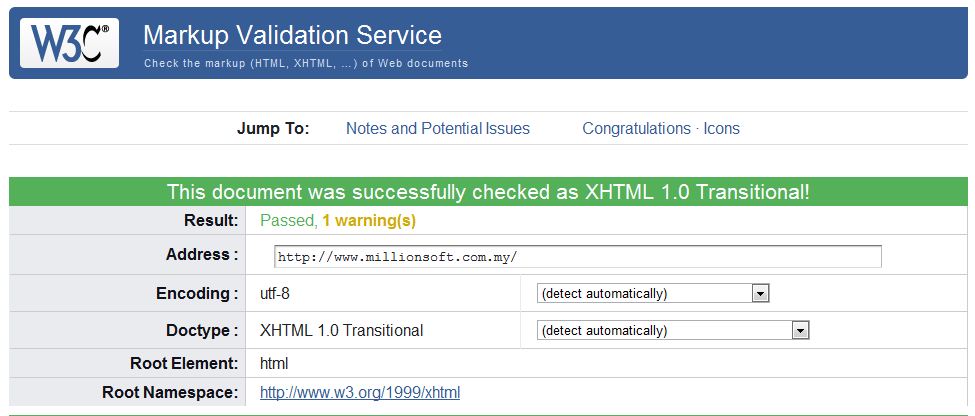
You can display the W3C validated icons on any of the page validated with success message.
If you have any errors or warnings, you shall spend some time to check the cause of the errors. The details of the errors and warnings are shown at the lower portion of the validation page. It is not mandatory to get 100% compliant to the W3C format but it is recommended to get as close as possible.
Why is it important to follow W3C coding format? W3C compliant Web Page can load faster Web Browser because Browsers do not need to do correction on the markup code. The closer your Web page to the W3C format, the fever corrections needed on the markup code. W3C compliant Web Pages are also more Web Browser independent, which means more visitors can visit your Website from various kind of devices and Web Browsers. W3C compliant Websites not only give better user experience to your users, but also more friendly to Search Engine Spider.
Live Chat
Sitemap
Contact
T: (603) 8011 1983 
F: (603) 5021 8259
E:
This e-mail address is being protected from spambots. You need JavaScript enabled to view it.
W: www.millionsoft.com.my